
Adobe Premiere Course Content

AutoCAD is a CAD (Computer Aided Design or Computer Aided Drafting) software application for 2D and 3D design and drafting.
AutoCAD is a powerful 2D and 3D design and drafting platform that automates your design tasks, and provides digital tools Architects, engineers, drafters, and design- related professionals. AutoCAD is used to create, view, manage, plot, share, and reuse accurate, information-rich drawings.
Online AutoCAD Course Content
Phase I
Phase II
Phase III
Phase I
- Introduction to Video
- Start Adobe Premiere
- Layout of Premier
- Importing and Placing clips on timeline
- Adding audio to sequence
- Editing 1 ->In / Out + Razor Tool
- Editing 2-> Trim Tool + Audio Editing
Phase II
- Track / Multi Track Selection Tool + Lift + Extract Tools
- Ripple + Rolling Edit Tools
- Trim Tool
- Slip + Slide Tool
Phase III
- Speed 1
- Speed
- Duration
- Reverse Video
- Freeze Video
- Speed 2
- Rate Stretch
- Zoom
- Hand Tools
- Opacity & Pen tool
- Video Transition + Transition Options
- Motion 1
- Position
- Scale Height
- Scale Width
- Motion 2
- Rotation
- Anchor Point
- Opacity
Phase IV
- Title(Still / Roll / Crawl)
- Multicamera in playback mode
- Multicamera in record mode
- Editing Muticamera clips
- Audio Mixer
- Capturing
- Assignments
Phase V
- Miscellaneous design of Pendants using different settings
- Live demo of Pendant 1

Phase VI
- Miscellaneous design of Earings using different settings
- Live demo of Earing 1

Phase VII
- Miscellaneous designs of Bracelets using different settings
- Live demo 1

- Live demo 2

Phase VIII
- Miscellaneous design of Bangle using different settings

- Based on the above demos, please make the following exercises
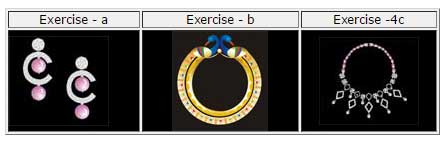
Phase IX
- Live Demo 1 - Jewellery set including Necklace, Earings, Ring

- Live Demo 2 - Necklace
